
If you’ve been curious about eSIM technology or thinking about switching carriers, a 30-day free eSIM trial is the perfect way to test the waters without spending a dime. Several carriers and eSIM providers now offer free trials that let you add a second line to your phone, giving you real-world experience with eSIM and the ability to compare network performance side by side with your current service. In this guide, I’ll show you where to find a 30-day free eSIM trial, how to set it up, what to test during the trial period, and how to use the experience to make an informed decision about your mobile service.
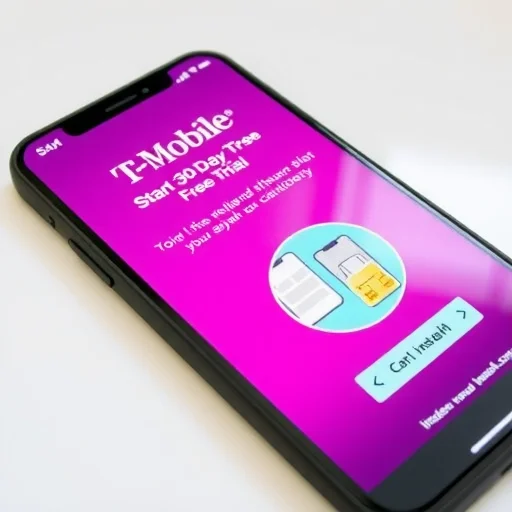
First, let’s clarify what a 30-day free eSIM trial actually gives you. In the US, T-Mobile offers a “Network Pass” that provides 30 days of free unlimited talk, text, and data on their network via eSIM. You don’t need to port your number, you don’t need to provide a credit card, and there’s no obligation to continue after the trial. You simply download the T-Mobile app, sign up, and install the eSIM on your unlocked, eSIM-compatible phone. The trial runs for 30 days or until you’ve used 30GB of data (whichever comes first), which is generous enough for most users to thoroughly test the service. Other carriers in different countries have similar offers, though they may vary in duration and data limits. Additionally, some global eSIM providers offer free or heavily discounted starter eSIMs with small data packages, effectively serving as a trial of their platform.
So why would you want a free eSIM trial? The reasons are compelling. If you’re considering switching carriers, a free trial lets you test coverage, speeds, and call quality in your daily life before you port your number and commit to a new plan. You can run the trial eSIM alongside your current carrier’s SIM, comparing them in real time at home, at work, on your commute, and anywhere else you frequent. If you’re curious about eSIM technology but unsure how it works, a free trial gives you hands-on experience without any financial risk. If you’re planning to travel and want to use eSIM abroad, a free domestic trial lets you practice installing and managing an eSIM before you’re in a foreign country with limited support.
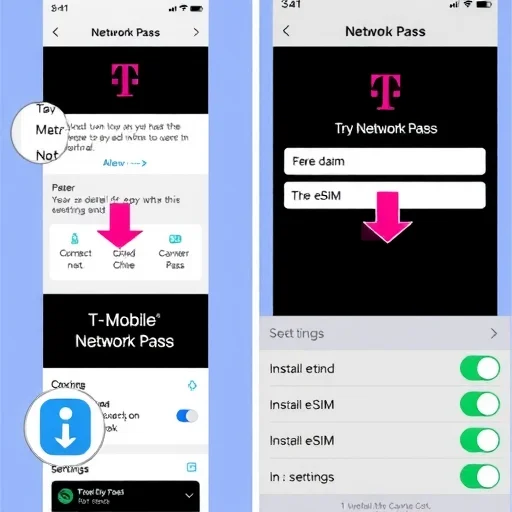
Let’s walk through how to get a 30-day free eSIM trial. The most accessible option in the US is T-Mobile’s Network Pass. Here’s how it works. First, ensure your phone is unlocked and eSIM-compatible. Most modern iPhones (XS and newer), Google Pixels (3 and newer), and Samsung Galaxy flagships (S20 and newer) qualify. Second, download the T-Mobile app from your phone’s app store. Third, open the app and look for the “Network Pass” option. You’ll need to provide some basic information—name, email, and possibly a verification code sent via SMS to your current number. Fourth, follow the prompts to install the eSIM. The app will guide you through the process, which typically involves scanning a QR code or using a direct installation link. Within minutes, the T-Mobile eSIM will appear as a new line in your phone’s cellular settings. You can label it something like “T-Mobile Trial” to keep it distinct from your primary line.
Once the trial eSIM is installed, you’ll have two active lines on your phone: your regular carrier and the trial line. The trial eSIM will have its own phone number (assigned by T-Mobile). You can use it for calls, texts, and data. In your phone’s settings, you can choose which line is used for cellular data, which is the default voice line, and which is used for iMessage and FaceTime (on iPhone). For testing purposes, I recommend setting the trial eSIM as your data line for at least part of the trial period, so you can experience how the network performs for data-intensive tasks. You can also make test calls from the trial number to evaluate call quality.
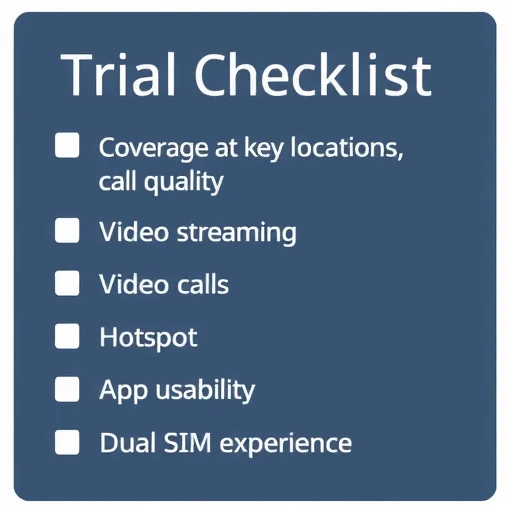
Now, let’s talk about what you should actually test during your 30-day free trial. The goal is to gather enough real-world data to decide whether to switch carriers or whether eSIM fits your needs. Here are the key areas to focus on.
First, test network coverage in the places that matter most to you. Use the trial eSIM as your data line when you’re at home, at work, on your daily commute, at the gym, and anywhere else you regularly use your phone. Compare the signal strength and data speeds to your current carrier. You can use apps like Ookla Speedtest to measure download and upload speeds in different locations. Pay special attention to indoor coverage—in basements, elevators, large buildings—where signal can be weak. Also test coverage while moving, such as in a car or train, to see if the network maintains a stable connection.
Second, test call quality and reliability. Make several calls using the trial eSIM’s phone number. Test calls in different locations: at home, outside, in a moving vehicle, and in areas where you know your current carrier struggles. Listen for clarity, delay, and whether calls drop. If the trial supports Wi-Fi calling, test that as well—turn on airplane mode, enable Wi-Fi, and make a call to see if it works smoothly. For many people, call reliability is as important as data speed.
Third, test data performance for your typical activities. Stream video on the trial eSIM—watch 10 to 15 minutes of YouTube or Netflix to see if it buffers or plays smoothly. Use video calling apps like FaceTime, Zoom, or Google Meet to see if the connection is stable and video quality is good. Download a large app or update to see how long it takes. If you use your phone as a hotspot, test that feature as well—connect your laptop to the trial eSIM’s hotspot and see if speeds are sufficient for your work or streaming needs.
Fourth, test the overall experience of using eSIM. How easy was the installation? Did you need to call customer service or was it fully automated? How intuitive is the carrier’s app? Can you easily see your data usage, manage your account, or get support? If you’re considering switching to eSIM full-time, the user experience matters. Also test how dual SIM works for you. If you’re running the trial alongside your primary line, pay attention to how calls and texts come in on both lines, how you choose which line to call from, and whether the separation is convenient or confusing.
Let’s walk through a real-world example. Sarah currently has AT&T as her primary carrier in the US. She’s been hearing that T-Mobile has faster 5G in her city and is considering switching, but she’s hesitant to port her number without testing. She downloads the T-Mobile app and signs up for Network Pass. Within minutes, she has a T-Mobile eSIM installed alongside her AT&T physical SIM. She labels them “AT&T” and “T-Mobile Trial.” For the next 30 days, she uses the T-Mobile trial as her data line during the week while keeping her AT&T line for calls (since her number is still with AT&T). At home, she runs speed tests and finds T-Mobile’s 5G is consistently faster. At her office, coverage is comparable. On her commute, T-Mobile has better coverage in the subway tunnels. She makes test calls on the T-Mobile number and finds call quality clear. After 30 days, she has real data showing that T-Mobile performs better in her daily life. She decides to switch, ports her number to T-Mobile, and does so with confidence.
Now consider James, who is planning a trip to Europe and wants to use a global eSIM for the first time. He’s never used eSIM before and wants to make sure he understands the process before he’s abroad. While there isn’t a free 30-day trial for global eSIMs, he takes advantage of a different kind of trial: he buys a low-cost “starter” eSIM from a global provider that offers 1GB for $5, which is effectively a paid trial. He installs it on his phone while still at home, practices switching between his primary line and the trial eSIM, and ensures his phone is unlocked and compatible. By the time he travels, he’s confident in how eSIM works and can buy a larger plan without any last-minute confusion.
What about the fine print? For T-Mobile’s Network Pass, the trial is free, but you must have an unlocked, eSIM-compatible phone. You can’t use it if your phone is currently locked to another carrier. Also, the trial is limited to one per device and one per person—you can’t repeatedly sign up for trials. The 30GB data limit is usually more than enough for a month of testing unless you’re streaming video constantly. After the trial ends, the eSIM profile can be deleted, and there’s no charge. If you decide to switch, you can port your number to T-Mobile and sign up for a regular plan.
One important thing to note: the trial eSIM gives you a temporary phone number. It’s not your regular number. So while you can test call quality, you’re not testing the number porting process. That comes after you decide to switch. Also, if you’re testing a carrier’s network, the trial uses the same network as their paid plans, so performance will be identical to what you’d get as a paying customer (except for possible prioritization differences—most trials use the same priority as regular customers).
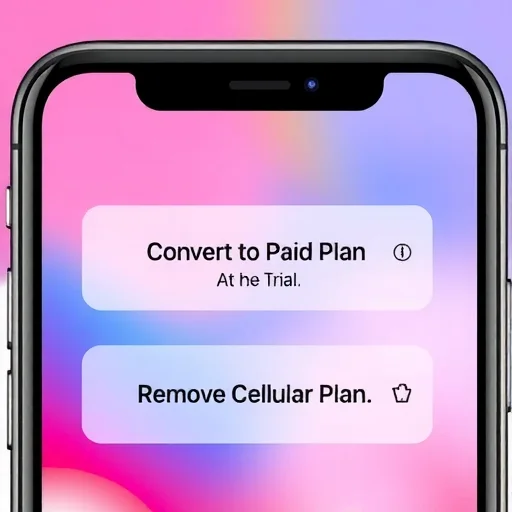
Let’s talk about what to do after the trial. If you’re satisfied with the carrier, you can typically convert the trial to a paid plan. For T-Mobile’s Network Pass, you can sign up for a regular plan and port your number over. The trial eSIM can be replaced with a permanent eSIM for your ported number, or you can keep the trial eSIM if you want to use that number (though most people port their existing number). If you’re not satisfied, you simply delete the eSIM profile from your phone. Go to Settings > Cellular, tap on the trial line, and select “Remove Cellular Plan.” That’s it. No calls to customer service, no cancellation fees.
In summary, a 30-day free eSIM trial is an incredible opportunity to test a carrier’s network, experience eSIM technology, and make an informed decision about your mobile service—all at no cost. T-Mobile’s Network Pass is the most prominent example in the US, offering 30 days of unlimited service. Use the trial to test coverage in your daily locations, call quality, data speeds for streaming and video calls, and the dual SIM experience. By the end of 30 days, you’ll have real-world data to decide whether to switch carriers or whether eSIM fits your needs. And if you decide not to switch, you simply delete the eSIM and continue with your current service, having lost nothing but gained valuable insight. A 30-day free eSIM trial, such as T-Mobile’s Network Pass in the US, lets you test a carrier’s network and eSIM technology at no cost. Install the trial eSIM alongside your current SIM, test coverage in your daily locations, call quality, data speeds for streaming and video calls, and the dual SIM experience. No credit card required, no obligation—simply delete the eSIM after the trial if you don’t switch.
NetworkTrialFINISHED
I used T-Mobile’s Network Pass to test their coverage before switching from Verizon. 30 days of free unlimited data, installed in minutes. Found out T-Mobile was actually faster in my neighborhood and at my office. Made the switch with confidence. No risk, no cost. Highly recommend.
I used the trial to learn how eSIM works before a big international trip. Practiced installing, switching lines, managing dual SIM. By the time I traveled, I was totally confident buying a travel eSIM. The free trial was the perfect practice run.
Did the T-Mobile trial alongside my AT&T line for a full month. Ran speed tests everywhere I went. AT&T was better at my gym, T-Mobile better at home. Ended up staying with AT&T but glad I tested first. Great way to make an informed decision.
One thing to know: the trial eSIM gets its own number, not your real number. So you’re testing the network, not the porting experience. Still, for coverage and data speeds, it’s perfect. And it’s completely free with no credit card required.
Make sure your phone is unlocked before trying. My friend’s phone was still locked to her carrier and she couldn’t install the trial eSIM. Check Settings > General > About > Carrier Lock on iPhone to make sure it says “No SIM restrictions.”