
If you’ve ever bought a new phone or a replacement SIM card and seen the term “4FF” or “nano SIM” and wondered what it means, you’re not alone. SIM cards have evolved over the years, shrinking from credit-card-sized to tiny chips, and the 4FF (Fourth Form Factor) nano SIM is the current standard used in virtually all modern smartphones. Understanding what a 4FF nano SIM is, how it differs from older SIM formats, and how to handle one correctly can save you from frustration when setting up a new phone or traveling. In this guide, I’ll explain everything you need to know about 4FF nano SIM cards, including their history, how to identify them, and how to use them properly.
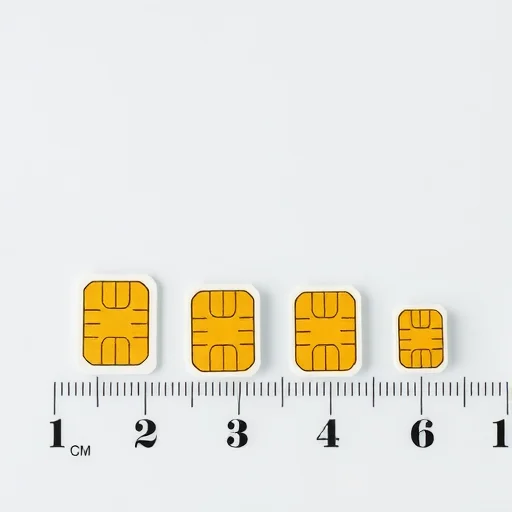
First, let’s start with the basics. “4FF” stands for Fourth Form Factor, which is the industry standard name for the nano SIM card. The “FF” refers to the physical size and shape of the SIM card, which has been standardized by the European Telecommunications Standards Institute (ETSI). The nano SIM measures 12.3mm × 8.8mm × 0.67mm—significantly smaller than its predecessors. To put that in perspective, it’s about the size of your fingernail. This small size allows phone manufacturers to save internal space for larger batteries, better cameras, and other components, which is why it became the standard around 2012 and remains the standard today.
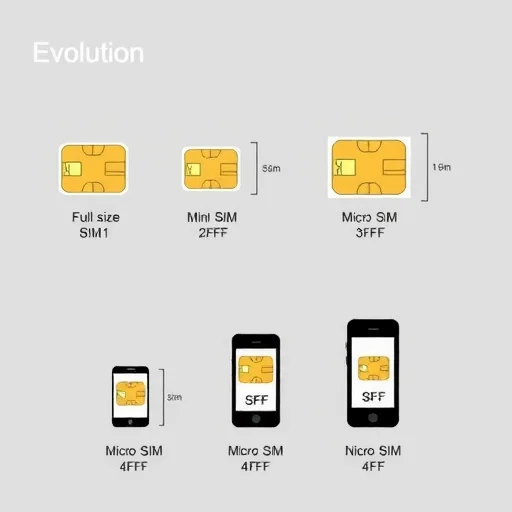
To understand the 4FF nano SIM, it helps to know the history. The original SIM card, now called the 1FF or full-size SIM, was the size of a credit card (85.6mm × 53.98mm). It was used in the earliest mobile phones, which were large enough to accommodate it. As phones got smaller, so did SIM cards. The 2FF or mini SIM (25mm × 15mm) became the standard in the 1990s and 2000s, and many people still call this a “regular SIM.” The 3FF or micro SIM (15mm × 12mm) appeared around 2010, used in phones like the iPhone 4. Finally, the 4FF or nano SIM was introduced in 2012 with the iPhone 5 and quickly became the industry standard. Today, virtually every smartphone uses the nano SIM format, though some also support eSIM (embedded SIM) as an alternative.
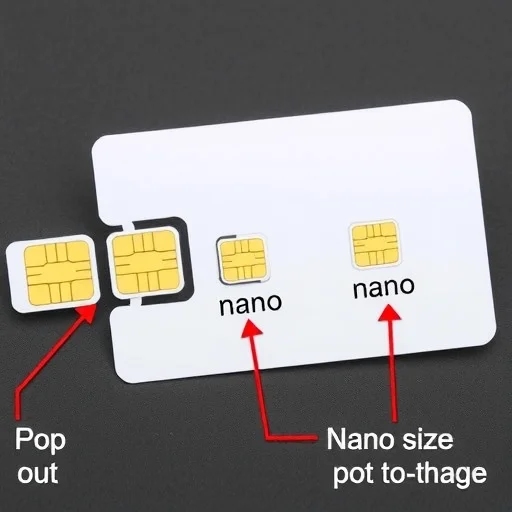
So how can you identify a 4FF nano SIM? If you have a SIM card that looks like a tiny chip with almost no plastic border around the gold contacts, it’s almost certainly a nano SIM. Older SIM cards often come in a “triple-cut” or “multi-fit” format, where the card is perforated so you can pop out the size you need. In these cases, the smallest inner piece is the nano SIM. If you’re buying a new SIM card, it will almost always be in the nano format unless you specifically request otherwise. If you’re traveling and need to buy a local SIM, most carriers now offer nano SIMs as standard, but it’s always good to confirm.
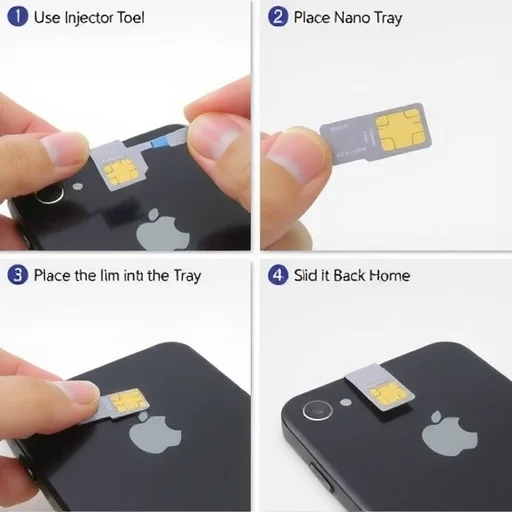
Now let’s talk about how to use a 4FF nano SIM. The process is straightforward but requires a bit of care. Most phones have a SIM tray—a small slot on the side of the phone (or sometimes the top or bottom) that holds the SIM card. To insert a nano SIM, you’ll need a SIM ejector tool (usually a small metal pin that comes with your phone) or a paperclip. Insert the tool into the small hole next to the tray to eject it. Place the nano SIM into the tray, making sure the gold contacts face down (or up, depending on the phone) and the cut corner aligns with the tray’s shape. Gently slide the tray back into the phone. The phone should recognize the SIM within seconds. If you’re using an older phone that takes a micro SIM or mini SIM, you’ll need an adapter—a plastic frame that holds the nano SIM in the larger size. These adapters are widely available and often come with new SIM cards.
One common issue people encounter is using a nano SIM with an adapter in an older phone, only to have it get stuck. This can happen if the adapter is poorly made or if the SIM isn’t seated correctly. If you’re using an adapter, make sure it’s a high-quality one that holds the nano SIM securely. Better yet, if you’re planning to use an older phone, consider getting a SIM that’s already the correct size or having your carrier issue a new SIM in the proper format. Many carriers will provide a replacement SIM for free or at low cost.
Now let’s discuss the relationship between nano SIM and eSIM. With the rise of eSIM technology, some newer phones (especially US models of the iPhone) no longer have a physical SIM tray at all and rely entirely on eSIM. In these phones, you don’t use a nano SIM at all—instead, you download a digital profile. For most phones, however, the nano SIM remains the primary way to connect to a carrier. Even phones that support eSIM often have a nano SIM slot as well, allowing you to use both a physical SIM and an eSIM simultaneously for dual SIM functionality. So even as eSIM adoption grows, the 4FF nano SIM is likely to remain relevant for years to come.
If you’re traveling, you’ll likely encounter nano SIMs when buying local prepaid cards. Most tourist SIMs sold at airports, convenience stores, and carrier shops are nano SIMs. Some come in a multi-cut format so they can be used in any phone, regardless of the SIM size. When purchasing a local SIM, it’s always a good idea to tell the seller what phone you have, but if you have a modern smartphone, it’s almost certain to use a nano SIM. If you’re not sure, you can look up your phone model online or check the specs in your phone’s settings.
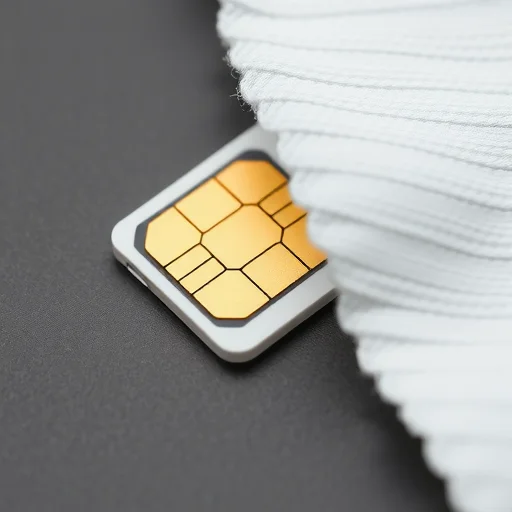
Let’s talk about what to do if your SIM card gets damaged or lost. The gold contacts on a nano SIM are delicate. Scratches, dirt, or corrosion can cause connection issues. If your phone suddenly stops recognizing your SIM, try gently cleaning the gold contacts with a soft, dry cloth. If that doesn’t work, you may need a replacement SIM from your carrier. Most carriers can issue a replacement with the same phone number, though there may be a small fee. If you’re traveling and lose your SIM, you can usually get a replacement from your carrier’s local store or have a new eSIM issued if your phone supports it.
One often-overlooked aspect of nano SIMs is the importance of keeping the SIM tray clean and dry. If you’re in a dusty environment or near water, debris can get into the tray and cause connection issues. If you’re not using the SIM slot (for example, if you’ve switched to eSIM), it’s a good idea to keep the tray inserted to prevent dust from entering. If you’re swapping SIMs frequently, be gentle with the tray mechanism—it’s designed for occasional use, not daily swaps.
Now let’s talk about compatibility with older devices. If you have an older phone that uses a micro SIM or mini SIM, you can still use a nano SIM with an adapter. Adapters are available online or at electronics stores for a few dollars. However, be aware that using an adapter can sometimes cause issues if the adapter is slightly too thick or if the SIM moves around. If you plan to use a nano SIM in an older phone for an extended period, it’s often better to have your carrier issue a SIM in the correct size. Some carriers offer multi-size SIMs that include all three sizes (mini, micro, nano) in one card, with perforations so you can pop out the size you need.
For travelers, a practical tip: if you’re going to be swapping SIMs frequently (like using a local SIM in each country you visit), consider getting a SIM card holder or storage case to keep your spare nano SIMs safe. They’re small and easy to lose. Some SIM kits come with a small card where you can stick the SIMs. You can also use a small ziplock bag or a dedicated SIM organizer. Also, keep your SIM ejector tool handy—it’s easy to misplace, but you can use a paperclip in a pinch.
In summary, the 4FF nano SIM is the current standard SIM card format used in virtually all modern smartphones. It measures 12.3mm × 8.8mm, making it tiny enough to save space while providing reliable connectivity. Whether you’re setting up a new phone, buying a local SIM for travel, or troubleshooting connectivity issues, understanding the nano SIM format will help you navigate the process smoothly. While eSIM is growing, the nano SIM remains widely used and will likely continue to be for years to come. Keep your SIM ejector tool handy, handle the gold contacts carefully, and you’ll be able to swap SIMs with confidence. A 4FF nano SIM is the current standard SIM card format, measuring 12.3mm × 8.8mm—significantly smaller than older micro and mini SIMs. It’s used in virtually all modern smartphones. When inserting, use a SIM ejector tool, align the cut corner, and handle the gold contacts carefully. For older phones, use a quality adapter. Keep spare SIMs organized in a holder to avoid loss during travel.
SIMCardGuideFINISHED
One thing to add: if you’re using a nano SIM in an adapter for an older phone, make sure the adapter fits snugly. I had one that was slightly loose and the phone kept losing connection. Switched to a better adapter and it was fine.
I travel a lot and swap SIMs constantly. A little SIM storage card is a lifesaver. I have a small credit-card-sized holder that holds 6 nano SIMs and the ejector tool. Keeps everything organized and safe.
It’s worth noting that some carriers still send out multi-cut SIMs where you pop out the size you need. If you’re not sure what size your phone takes, get one of those and you’re covered for any phone.
I was so confused when I got a new phone and saw “nano SIM” in the instructions. This article cleared it up. Turns out my old SIM was a micro SIM, so I needed to pop out the smaller size from my multi-cut card. Worked perfectly. Thanks for the guide!
The part about cleaning the gold contacts saved me. My phone stopped recognizing my SIM after a beach trip. A gentle wipe with a microfiber cloth and it was back to normal. Good to know before I went to the carrier store.