
You’ve built your Sim the perfect house, leveled up their career, and yet they’re still eating microwave dinners alone while all their friends are getting married. Finding romance in The Sims 4 used to mean awkwardly introducing yourself at a bar or hoping a townie would wander into your Sim’s social circle. But the Cupid’s Corner dating app, introduced in The Sims 4: Lovestruck expansion pack, changes everything. The core solution is simple: use Cupid’s Corner to create a dating profile, set your preferences, and let the app do the matchmaking work. No more standing around at festivals hoping someone interesting shows up. With the right strategy, your Sim can go from single to soulmate in a matter of in-game hours. Here’s exactly how to make the most of it.
First, let’s understand what Cupid’s Corner actually is and why it’s such a game-changer. Cupid’s Corner is a dating app feature that comes with the Lovestruck expansion pack. It functions like a real-world dating app: your Sim creates a profile with a photo, a bio, and relationship preferences. You can set what kind of partner your Sim is looking for—their age range, traits, and even turn-ons and turn-offs. The app then generates potential matches that you can browse, like, and message. If both Sims like each other, it’s a match, and you can schedule a date. The beauty of Cupid’s Corner is that it takes the randomness out of romance. Instead of hoping your Sim runs into someone compatible, you can actively search for Sims who fit exactly what you’re looking for. It’s perfect for Sims who are too busy with work to socialize, for players who want more control over their Sim’s love life, or for anyone tired of watching their Sim get rejected by the same townie over and over.
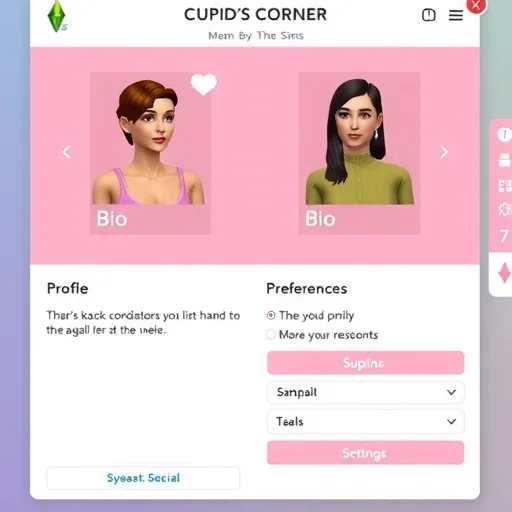
So how do you get started? First, you need the Lovestruck expansion pack installed. Once you have it, open your Sim’s phone—click the phone icon in the bottom left corner of the screen. Look for the Cupid’s Corner app icon, which looks like a pink heart. Tap it, and you’ll be prompted to create your Sim’s dating profile. This is where the strategy begins. When you set up the profile, you can choose a profile photo from your Sim’s existing photos or take a new one. Write a bio that reflects your Sim’s personality—it doesn’t affect matchmaking directly, but it adds flavor to the experience. More importantly, you’ll set your Sim’s turn-ons and turn-offs. This is where you can get specific: does your Sim prefer Sims who are active, or do they swoon for bookworms? Are they attracted to Sims with a certain hair color or style? Setting these preferences correctly increases the chances of matching with Sims who will naturally have high chemistry with yours.
Once the profile is set up, you can start browsing matches. Cupid’s Corner presents you with a list of potential matches, each with a compatibility rating. You can “like” or “pass” on each profile. If you like a profile and that Sim also likes yours, you’ll get a notification that you’ve matched. From there, you can send a message to start chatting. The messaging system is simple: you choose from a few pre-written conversation starters, and the responses affect the relationship gain. If the conversation goes well, you can ask the Sim out on a date right from the app. The date will be scheduled at a location of your choice—anything from a romantic restaurant to a park bench. The beauty of this system is that you’re not wasting time on Sims who aren’t interested. The app handles the initial filtering so you can focus on building the relationship with matches that actually work.
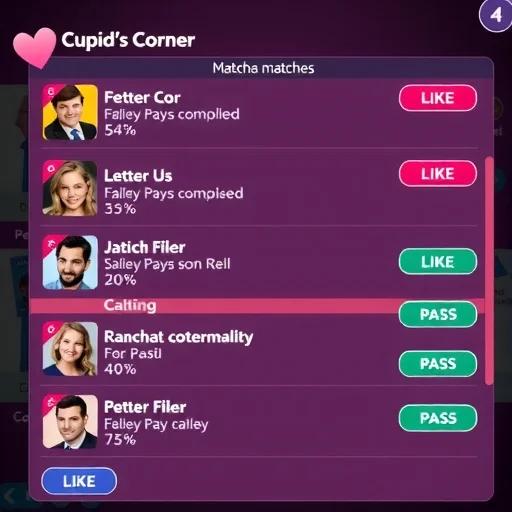
Now, let’s talk about strategy. If you want your Sim to find a long-term partner efficiently, there are a few tricks that make a big difference. First, be selective with turn-ons and turn-offs. These settings directly influence which Sims the app suggests to you. If you set turn-ons that are too specific, you might get very few matches. If you set them too broad, you’ll get matches but they may not have the chemistry you’re looking for. A good approach is to choose two or three turn-ons that align with your Sim’s own traits and lifestyle. For example, if your Sim is a fitness enthusiast, setting “Active” as a turn-on will match them with Sims who share that interest, which makes dates more successful because they’ll enjoy doing active activities together. Second, use the “Boost” feature if it’s available. Some versions of the app allow you to boost your profile, which puts it in front of more Sims temporarily. This is especially useful if your Sim is looking for something specific and hasn’t had much luck. Third, don’t be afraid to go on multiple dates. Cupid’s Corner matches are great for first meetings, but chemistry still needs to develop. A match might look perfect on paper but fall flat in person. That’s okay. Your Sim can keep using the app until they find someone who truly clicks.
Let me walk you through a real example from my own gameplay. I had a Sim named Maya, a workaholic programmer who had maxed out her career but had zero romance. She was constantly “very tense” from loneliness but never had time to go to bars or events. I installed Lovestruck, opened Cupid’s Corner, and set up her profile. She was a “Genius” with the “Loner” trait, so I set her turn-ons to “Genius” and “Bookworm” because I figured she’d connect better with intellectual Sims. Within a few in-game hours, she had a match: a Sim named Elias who was also a Genius and had the “Bookworm” trait. Compatibility was listed as 90 percent. I had Maya send a message, they chatted briefly, and she asked him out to a quiet café. The date went well—they talked about books and coding, both activities that played to their strengths. By the end of the date, the relationship bar was about halfway full. Maya used Cupid’s Corner again to ask Elias out a second time, and within a week of in-game time, they were soulmates. Without the app, Maya probably would have stayed single forever because she rarely left her house. Cupid’s Corner made it possible for her to find a partner who actually matched her lifestyle.
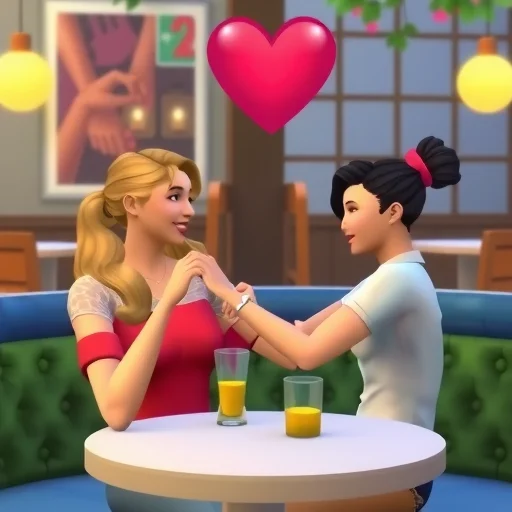
One of the best things about Cupid’s Corner is how it handles rejection. In previous Sims games, rejection could be brutal. Your Sim would flirt with someone at a party, get shot down, and then have an awkward social dynamic with that Sim forever. Cupid’s Corner removes that social risk. If a Sim doesn’t like your Sim’s profile, you simply don’t match. No awkward interactions, no embarrassing rejections. You just move on to the next profile. This is especially useful for players who are trying to fulfill the “Romance” aspiration but don’t want to deal with the social hit of rejection.
Another feature worth noting is that Cupid’s Corner works for Sims of any gender, orientation, and relationship type. You can set preferences for male, female, or any Sims, and you can choose whether your Sim is looking for romance, friendship, or something casual. This makes it a versatile tool for any story you want to tell, whether it’s finding a spouse, a casual dating partner, or just expanding your Sim’s social circle.
One common question players have is whether Cupid’s Corner works with pre-existing townies or only generates new Sims. The answer is both. The app pulls from existing Sims in your world—townies, Sims you’ve created, even Sims who live in other households—and it also generates new Sims when needed. This means you might match with a Sim you’ve already seen around town, or you might discover a completely new Sim that adds fresh story potential to your game.
A final tip: Cupid’s Corner is also incredibly useful for players who are doing legacy challenges or trying to create specific genetic traits in their Sims. You can search for Sims with particular physical traits—hair color, eye color, body type—by setting turn-ons accordingly. This takes the guesswork out of finding a partner who will produce the kind of offspring you’re aiming for.
If you’ve been frustrated by your Sim’s love life, Cupid’s Corner is the solution you’ve been waiting for. It transforms romance from a random encounter into a purposeful pursuit. Your Sim no longer has to stand around at a bar hoping someone interesting shows up. Instead, they can scroll through matches, connect with Sims who actually share their interests, and go on dates that have real potential. Whether you’re looking for a quick fling or a lifelong soulmate, Cupid’s Corner puts the power in your hands. So open that phone, set up a profile, and watch your Sim’s love life finally take off. Cupid’s Corner in The Sims 4 Lovestruck expansion lets Sims create dating profiles, set turn-ons and turn-offs, and browse compatible matches. Use it to bypass random encounters, find partners with specific traits, and schedule dates directly from the app for efficient, rejection-free romance.
I love how the app handles rejection. My Sim used to get rejected at parties and it would ruin the whole event. Now if a match doesn’t work out, we just move on. No awkwardness, no negative moodlets. So much better.
This app changed my whole gameplay. I used to spend hours just trying to find a compatible Sim for my legacy heir. Now I can find someone with the right traits and physical features in like 10 minutes. Cupid’s Corner is a lifesaver.
I wish Cupid’s Corner existed for my real life. My Sim found a soulmate in like three in-game days while I’ve been single for years. The irony is not lost on me.
Heads-up for anyone using Cupid’s Corner: don’t just rely on the compatibility score. I had a 95% match that ended up being a terrible date because their traits clashed during conversation. The score is a good starting point, but chemistry still needs to be built.
The boost feature is worth using if your Sim is picky. My Sim had really specific turn-ons and was getting no matches. Used the boost and suddenly had three potential matches within a day. Found her future wife that way.